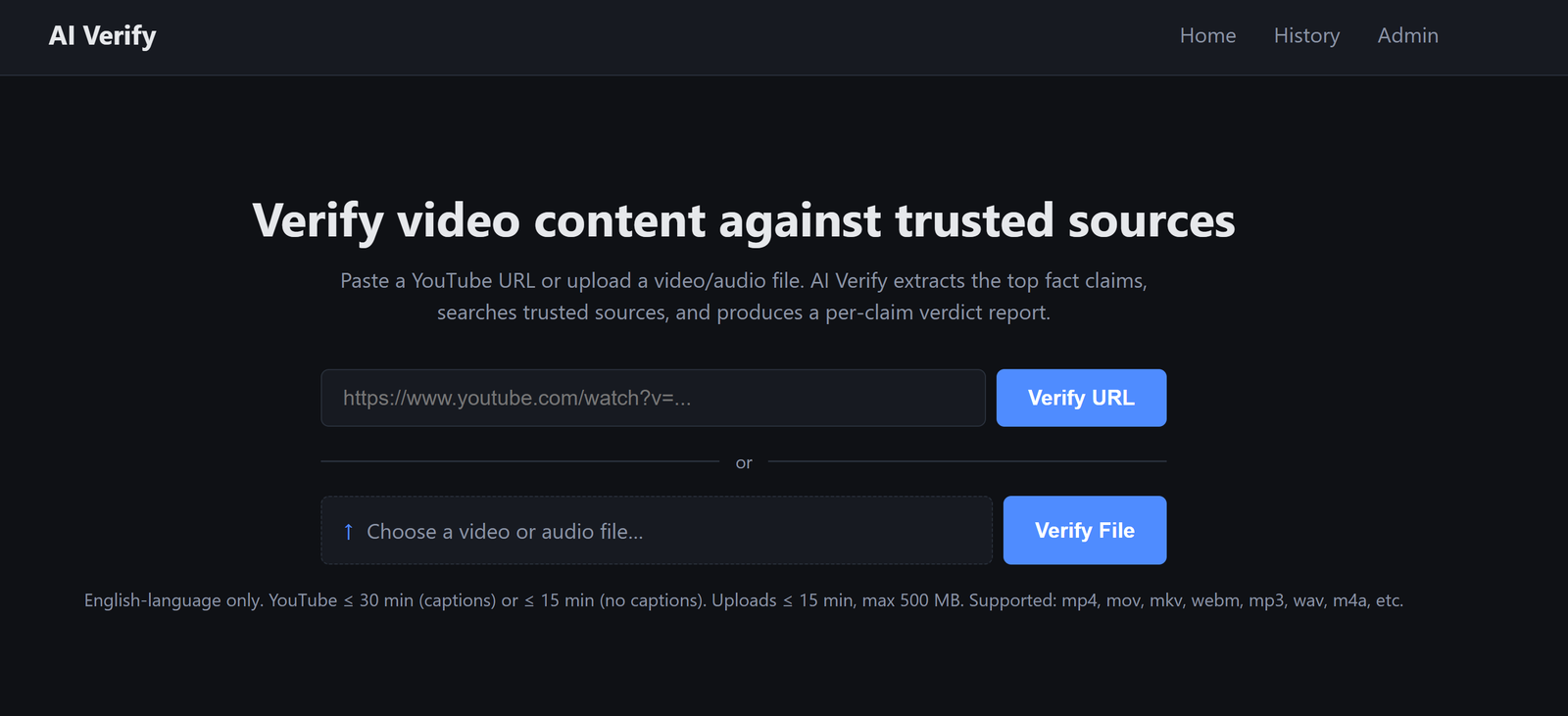
A small tool I built to fact-check YouTube videos (and uploaded video / audio files) against trusted sources. It runs locally, costs a few cents per video, and shows the work so you can decide for yourself.
Why
Friends keep sending me YouTube clips with confident claims. I either nodded along or spent twenty minutes opening tabs to verify. Neither felt right.
The boring middle of fact-checking — pulling the spoken text, finding the claims, searching reputable sites — is exactly what AI is good at. The judgement at the end is what I want to keep for myself. So I built a tool that does the boring middle and shows the sources.
What It Does
- Paste a YouTube URL or drop in a video / audio file
- Wait around 30 seconds (or a few minutes for uploads)
- Get a report
The report has an overall rating (Verified / Mostly Verified / Mixed / Misleading / False / Unverifiable), a per-claim breakdown, and color-coded source tags so you know at a glance whether the evidence came from a government site, a major news outlet, an academic journal, a community wiki, or some random blog.
Stack
Kept it simple:
- Python + Flask — Web framework
- yt-dlp — YouTube captions
- OpenAI Whisper — Audio transcription on uploads
- OpenRouter — Switch LLMs (Claude, DeepSeek, Kimi, GPT, Gemini) with one config line
- Tavily — Web search
- SQLite — Caching
No build step, no Docker, runs on my laptop.
Key Features
- Top-5 fact claims ranked by how often they're mentioned and how much screen time they get
- Color-coded source quality — Official (green), Major News (blue), Academic (purple), Community (grey), Unranked (brown)
- Hard rule against hallucinations — if zero credible sources back a claim, the verdict is forced to "Unverifiable" no matter what the LLM says
- History page with every past verification, viewable for 7 days
- PDF export of any report
- Rerun button that bypasses cache when you want a fresh analysis
- File uploads (mp4, mov, mp3, wav, etc.) up to 500 MB — same pipeline, just uses Whisper instead of YouTube captions
- Model picker in admin — swap LLMs from a web form, no restart
Demo Video
What I Learned
A few things that bit me along the way:
- YouTube tightened bot detection, so yt-dlp now needs Node on PATH
- Commercial LLMs (OpenAI, Anthropic, Google) often refuse content with a 403, so I built a multi-model fallback chain
- Reasoning models (Kimi, DeepSeek-R1) are slow but produce better verdicts on tricky content
- ffmpeg isn't installed on Windows by default — solved by bundling it via imageio-ffmpeg
- YouTube auto-captions garble proper nouns ("Clarke" becomes "Clog"), so the LLM has to be told that phonetic transcription errors are not the same as false claims
Why This Matters to Me
I'm curious instead of credulous. When a confident clip lands in my inbox, I run it through the tool, scan the sources, and form my own view. No more nodding along.
The boring middle is gone. Twenty minutes of tabs becomes thirty seconds of reading. What's left is the part that actually needs me — judgement.
The bigger lesson: AI is best when it makes you more thoughtful, not less. A tool that hands you a verdict takes your judgement away. A tool that hands you the sources gives it back.
Back to Blog